 PrevizRender
Powered by
PrevizRender
Powered by
Map videos onto 3D-scene materials and render headlessly — Blender or Cinema 4D + Redshift, on your own machine. One scene, many screens, no farm required.
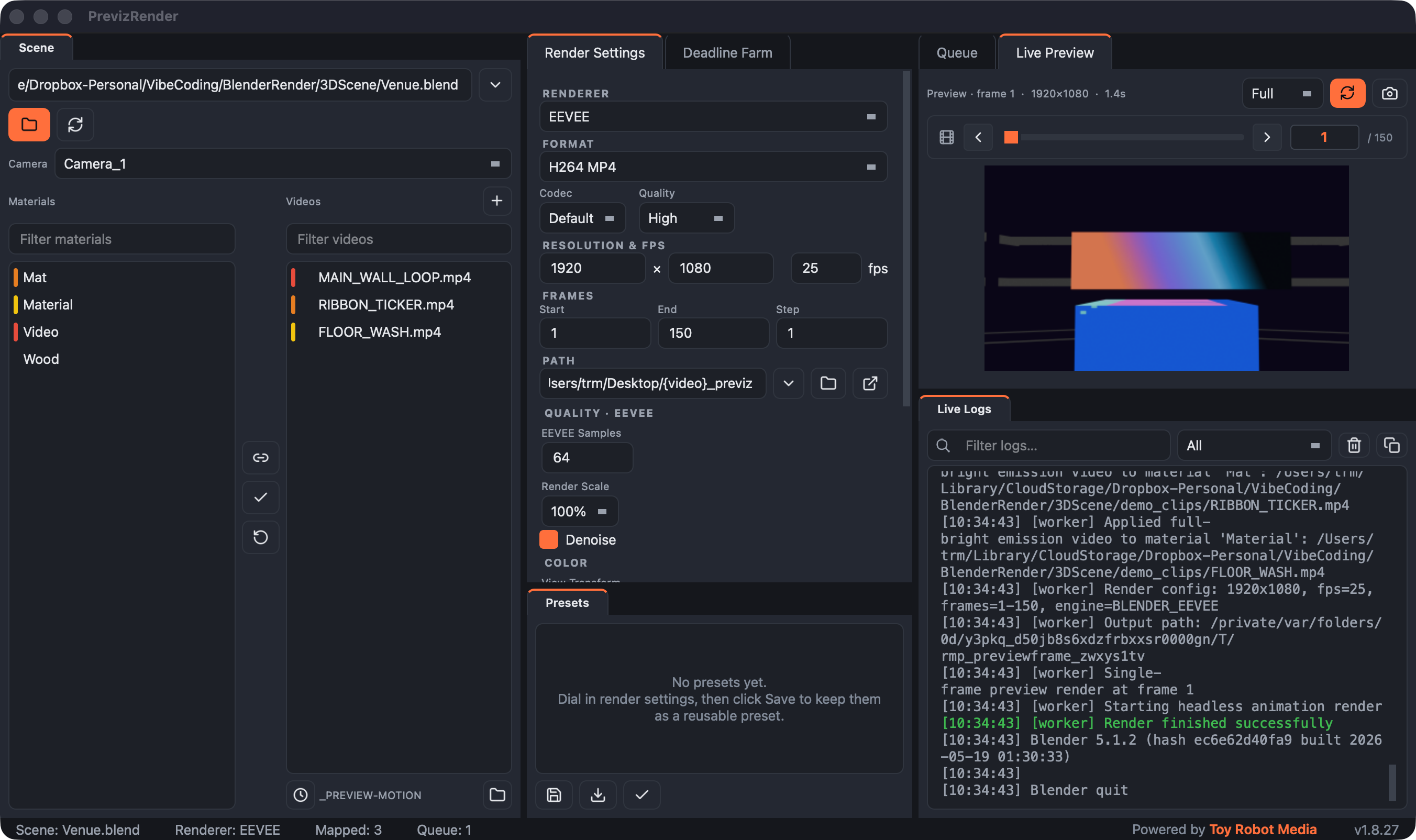
No render setup, no scripting. Scan the scene, link clips to materials, queue it.
Drag a .blend / .c4d / .glb (or .fbx, .usd, …) onto the Scene box, then Scan — materials, cameras, and render settings load automatically.
Drag your videos into the list and pick a camera. Resolution, fps, and frame ranges auto-fill from the scene.
Auto-map matches clips to materials by name — or link any pair by hand. Every screen gets its content.
Hit Start and watch the live preview. The renderer runs headless in the background — a crash can never take down the app.
Click a feature to read what it does.
The right backend is chosen automatically by scene type — Blender for .blend / .fbx / .usd and friends, Cinema 4D + Redshift for .c4d. Same workflow either way.
PrevizRender drives the renderer you already use — headlessly, in the background.
.blend, .fbx, .obj, .glb, .usd, .abc and more. No Blender on the machine? The app offers a managed runtime download — one click, with a progress bar.
Nothing else to install.c4d scenes render through your own C4D + Redshift install — the app pulls the Redshift sampling settings straight from the scene.
Uses your licensed installThree sibling tools by hamLT, powered by Toy Robot Media — one for each stage of getting content onto real-world screens.
 Plan
Plan
Previz the whole show in 3D — venues, screens, timelines, comps, and client review links.
MapMap artwork onto every screen in the venue, with lossless C4D and Blender round-trips.
Render
Render the comps locally — video mapped onto 3D scenes via headless Blender or Cinema 4D.
Free. Installer or portable zip — updates arrive automatically.